
There’s a moment in every AI project where the real bottleneck reveals itself — and it’s almost never the model. It’s the infrastructure underneath it. I’ve spent the last couple of months building and tearing down Proxmox clusters specifically to test AI-embedded systems, and I’ve arrived at a strong opinion: if you’re serious about running AI workloads outside of a cloud provider’s walled garden, Proxmox is one of the best foundations you can build on.
This isn’t a theoretical take. I’m writing this from a workstation VM running on a multi-node Proxmox cluster, Ceph storage, automated backups, and multiple services — including AI-powered applications — running in production. I’ve made plenty of mistakes along the way, and that’s exactly why I think I can save you some time.
What Makes AI and Proxmox a Natural Fit
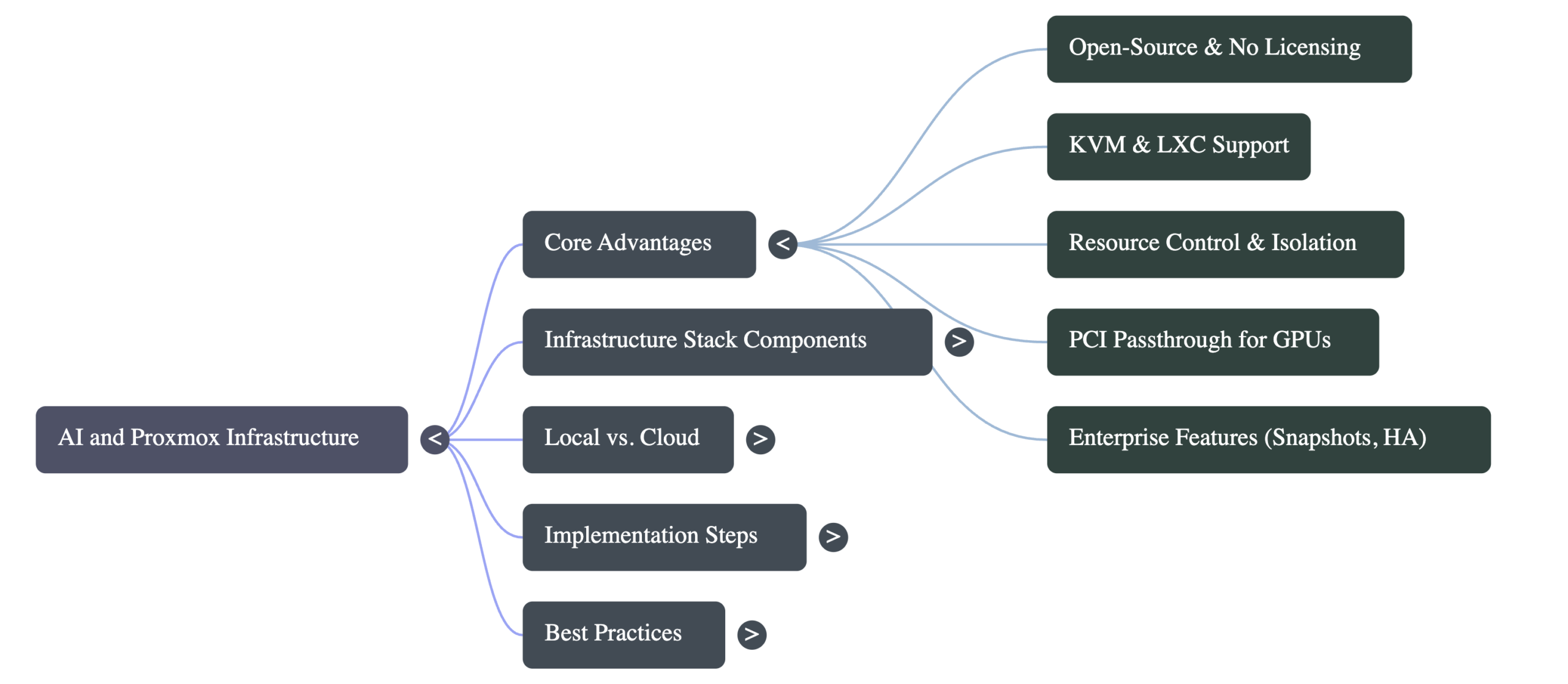
AI and Proxmox work well together because Proxmox gives you the virtualization layer, resource control, and isolation that AI workloads demand — without the licensing costs or complexity of enterprise hypervisors like VMware. Proxmox is open-source, based on Debian Linux, and supports both KVM virtual machines and LXC containers out of the box. That flexibility matters enormously when you’re experimenting with different AI stacks.
Here’s what I mean concretely. When I’m testing a new AI model or embedding system, I need to spin up an isolated environment quickly. I need to allocate specific amounts of CPU, RAM, and sometimes GPU resources. I need to snapshot the environment before I break something. And I need to tear it all down without affecting anything else running on the cluster. Proxmox handles every one of these requirements natively.
Compare that to running everything on bare metal. You’re constantly worried about dependency conflicts, library versions, and one bad experiment taking down your entire machine. Or compare it to running everything in Docker on a single host — you get isolation, sure, but you lose the ability to manage hardware resources at the hypervisor level, and you’re still limited to one physical machine.
Proxmox sits in the sweet spot. It gives you enterprise-grade virtualization with a web-based management interface, and it doesn’t cost you a dime in licensing fees.
The Infrastructure Stack I Actually Run
Let me walk you through what a practical AI-ready Proxmox setup looks like, because I think the specifics matter more than the theory.
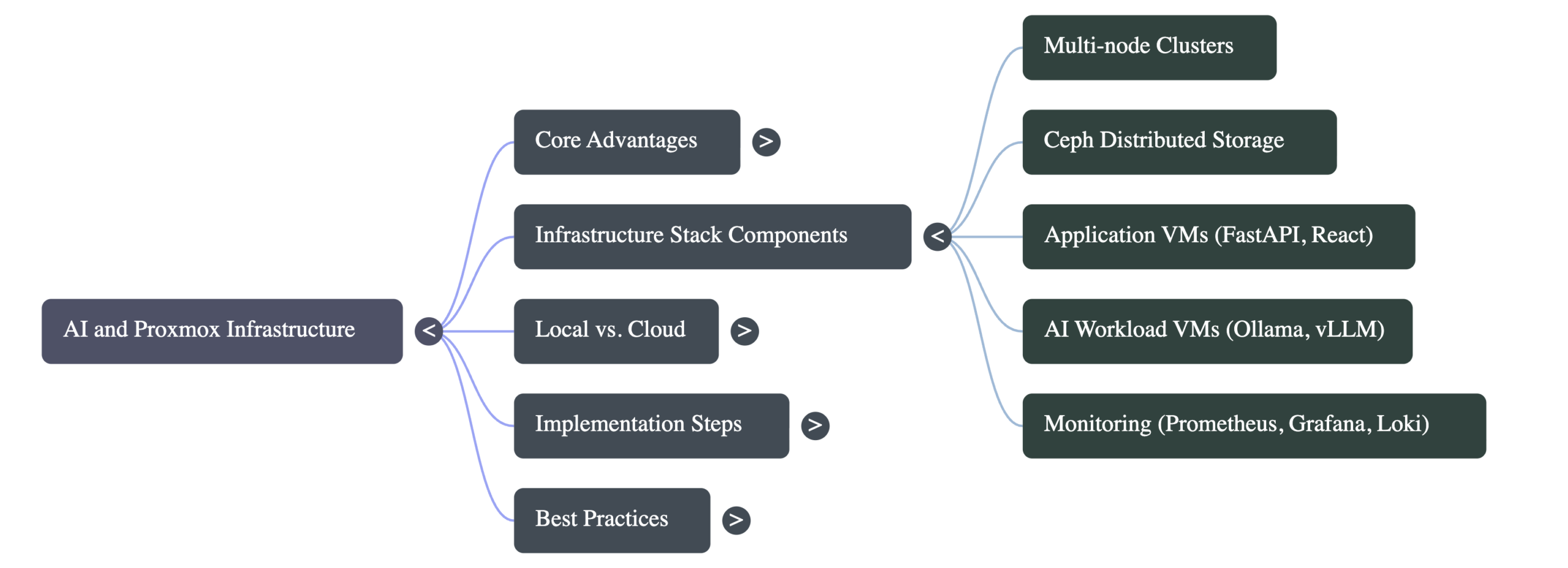
My current cluster is three nodes and growing. Each node contributes to a Ceph storage pool, which gives me distributed, redundant storage across the cluster. If a node goes down, my VMs can migrate to another node and keep running. This is critical for any kind of always-on AI service — you don’t want your inference API disappearing because one server decided to reboot for a firmware update.
On top of this cluster, I run dedicated VMs for different purposes:
- Application VMs — These run the actual services. FastAPI backends, React frontends, databases. Each gets its own VM with allocated resources.
- AI workload VMs — These are where I test model inference, embedding pipelines, and AI-integrated applications. They’re sized for the specific workload and can be snapshotted before any risky experiment.
- Monitoring infrastructure — Prometheus, Grafana, and Loki running in their own VM, watching everything else. When an AI workload starts consuming unexpected resources, I know about it immediately.
This separation of concerns is something you can only get cleanly with a proper hypervisor. And because Proxmox supports live migration, I can move VMs between nodes for maintenance without any downtime.
Why Not Just Use the Cloud?
Fair question. Cloud providers like AWS, GCP, and Azure all offer GPU instances and managed AI services. For some use cases, they’re the right call. But here’s where I push back.
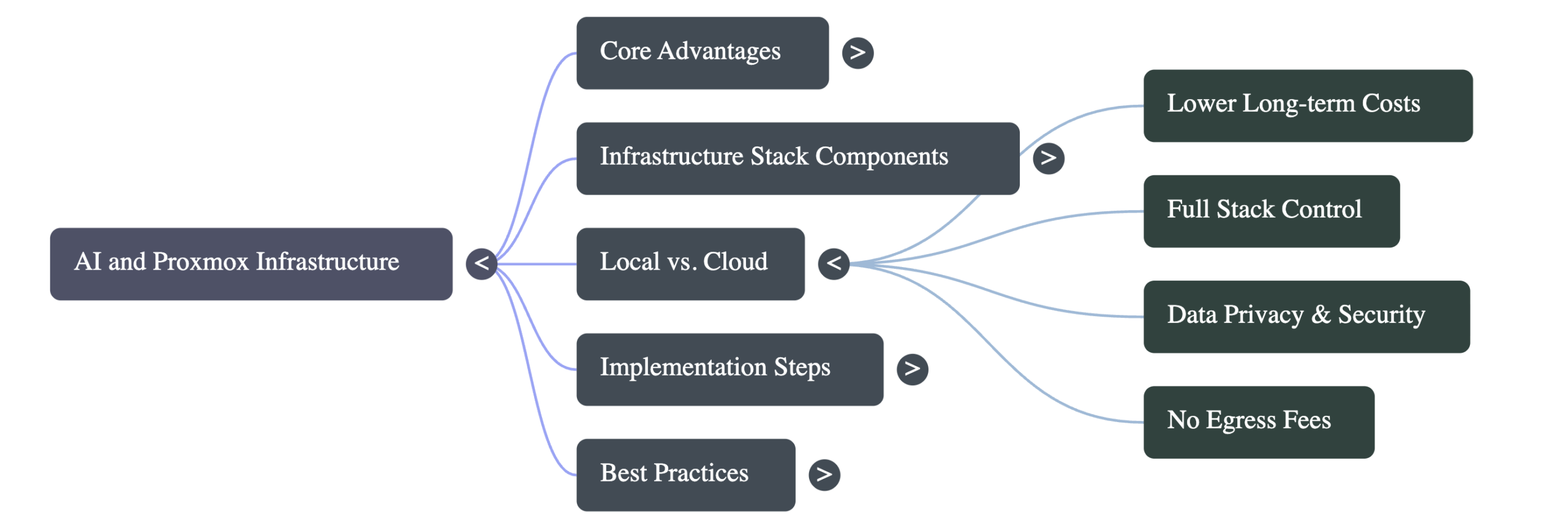
First, cost. If you’re doing ongoing AI experimentation — running inference, testing different models, building embedded AI systems — cloud GPU costs add up shockingly fast. A single GPU instance on AWS can run $1-3 per hour. Leave that running for a month of development and you’re looking at hundreds or thousands of dollars. A used workstation with a decent GPU pays for itself in a few months.
Second, control. When I’m building AI-embedded systems, I need to understand the full stack. I need to know how the model interacts with the operating system, how memory is allocated, how network traffic flows between services. In the cloud, half of that is abstracted away. On Proxmox, I own every layer.
Third, privacy. Some of the data I work with shouldn’t leave my network. Running local AI infrastructure means my data stays on my hardware. No third-party processing agreements to worry about, no egress fees, no surprise compliance issues.
That said, I’m not dogmatic about this. Cloud makes sense for burst workloads, for training large models, or when you need GPU hardware you don’t own. The point is that Proxmox gives you a viable alternative for a huge portion of AI workloads, and for ongoing development and testing, it’s often the smarter financial choice.
Getting Started: What You Actually Need
If you’re reading this and thinking about building your own AI infrastructure on Proxmox, here’s what I’d recommend as a starting point. You don’t need a three-node cluster on day one.
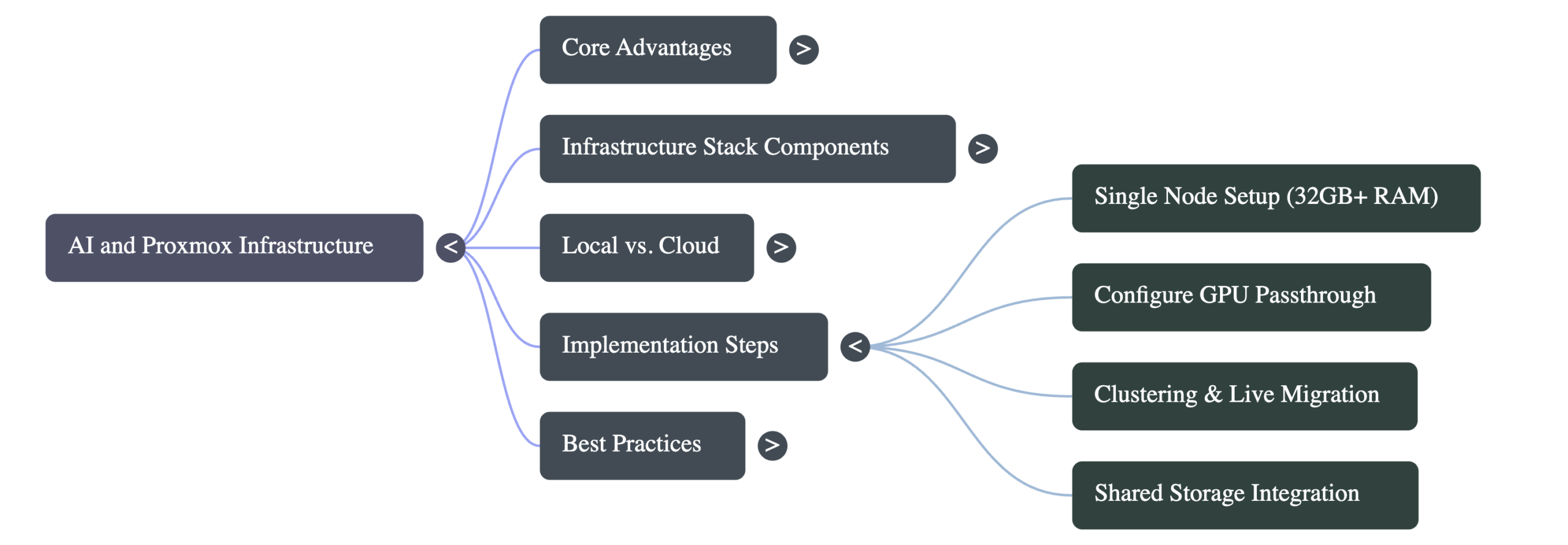
Minimum viable setup: One machine with at least 32 GB of RAM, a multi-core CPU (AMD Ryzen or Intel with virtualization support), and an SSD for storage. Install Proxmox VE directly on the metal. This gives you a single-node “cluster” that you can expand later.
For AI workloads specifically: If you’re running local language models or doing any kind of inference, you’ll want a GPU. NVIDIA cards with CUDA support are still the standard for most AI frameworks. Proxmox supports PCI passthrough, which lets you dedicate a physical GPU to a specific VM. This is one of the most important features for AI work — your model gets direct hardware access with near-native performance.
Here’s a rough progression I’d suggest:
- Start with one node. Install Proxmox, create a VM, get comfortable with the interface. Run a simple AI inference server like Ollama or vLLM inside a VM.
- Add GPU passthrough. Configure IOMMU, pass your GPU through to the AI VM, and benchmark the difference. It’s substantial.
- Add a second node. Set up clustering. Experiment with live migration. Understand how Proxmox handles multi-node environments.
- Add shared storage. Whether it’s Ceph, NFS, or a dedicated NAS, shared storage is what makes your cluster truly flexible. VMs can move between nodes seamlessly.
- Build your AI stack. Now you have the foundation to run model serving, vector databases, embedding pipelines, and application backends — all isolated, all manageable, all on infrastructure you control.
Each step builds on the last, and at no point do you need to throw away what you’ve already done. That’s one of the things I appreciate most about Proxmox — it scales with you.
Lessons From Building Multiple Clusters
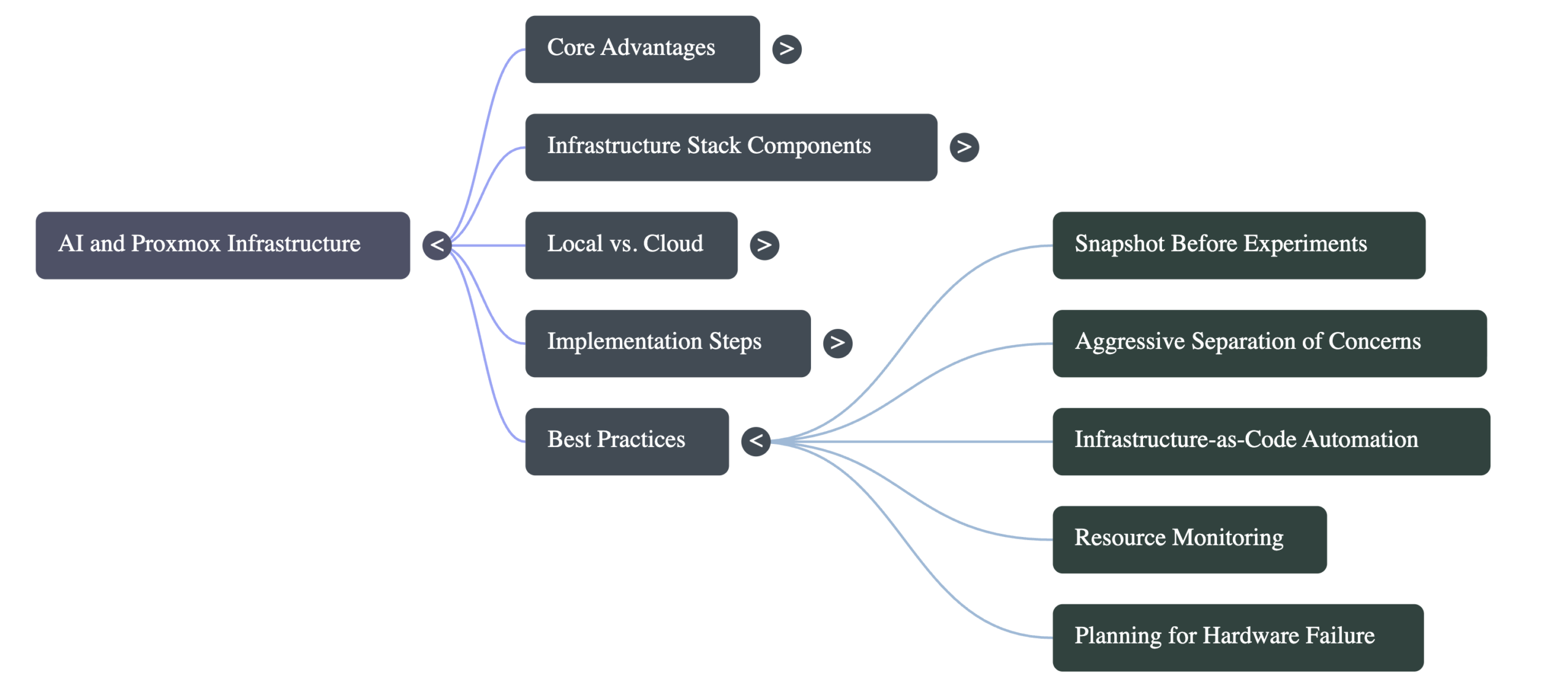
I’ve built and rebuilt Proxmox clusters more times than I’d like to admit, and every iteration taught me something. Here are the lessons that are most relevant to AI infrastructure.
Snapshot before every experiment. This sounds obvious, but it’s easy to skip when you’re excited about testing a new model. AI environments are particularly fragile — a wrong version of CUDA, a conflicting Python library, a kernel update that breaks GPU passthrough. Snapshots let you roll back in seconds instead of spending hours debugging.
Separate your concerns aggressively. Don’t run your AI workloads on the same VM as your database. Don’t put your monitoring stack on the same node as your GPU-heavy inference server. Proxmox makes isolation easy — use it. When something goes wrong (and it will), you want the blast radius contained.
Automate your deployments. I use systemd services, rsync-based deployment scripts, and infrastructure-as-code practices to make everything reproducible. When I need to rebuild a VM or migrate to new hardware, I’m not starting from scratch. For AI workloads especially, being able to reproduce your exact environment is worth its weight in gold.
Monitor everything. AI workloads are resource-hungry and unpredictable. A runaway inference process can consume all available RAM and crash neighboring VMs if you’re not paying attention. Prometheus and Grafana are free, they integrate well with Proxmox, and they’ll save you from nasty surprises.
Plan for failure. Nodes go down. Disks fail. Power outages happen. If your AI service is important enough to run, it’s important enough to survive hardware failure. Proxmox’s HA (High Availability) features, combined with Ceph storage, give you real resilience without enterprise price tags.
Where This Is All Heading
The way I see it, we’re at the beginning of a fundamental shift in how AI infrastructure gets built. The cloud-only mindset is giving way to a more hybrid approach, where organizations and individuals maintain local AI capability for development, testing, privacy-sensitive workloads, and cost control.
Proxmox is positioned perfectly for this shift. It’s mature, well-supported by its community, and it keeps getting better. Recent versions have improved GPU passthrough support, added better resource management tools, and made clustering more accessible. The Proxmox community is also increasingly focused on AI use cases, which means better documentation and shared knowledge for anyone going down this path.
If you’re someone who’s been using AI tools and wants to understand what’s happening underneath — how models get served, how infrastructure gets managed, how to build systems that are reliable and maintainable — building on Proxmox is one of the best educational investments you can make. You’ll learn virtualization, networking, storage, Linux systems administration, and AI deployment all at once.
And unlike a cloud sandbox that disappears when you stop paying, what you build on Proxmox is yours. It runs on your hardware, on your network, on your terms.
That’s the kind of infrastructure I want to build on. And after several clusters and more than a few late-night debugging sessions, I’m more convinced than ever that it’s the right foundation.